Own sandbox and clone
Each agent works in its own Docker Sandbox on its own clone, never in your files.
An AI coding agent and browser IDE that runs on your own hardware.
./install.sh
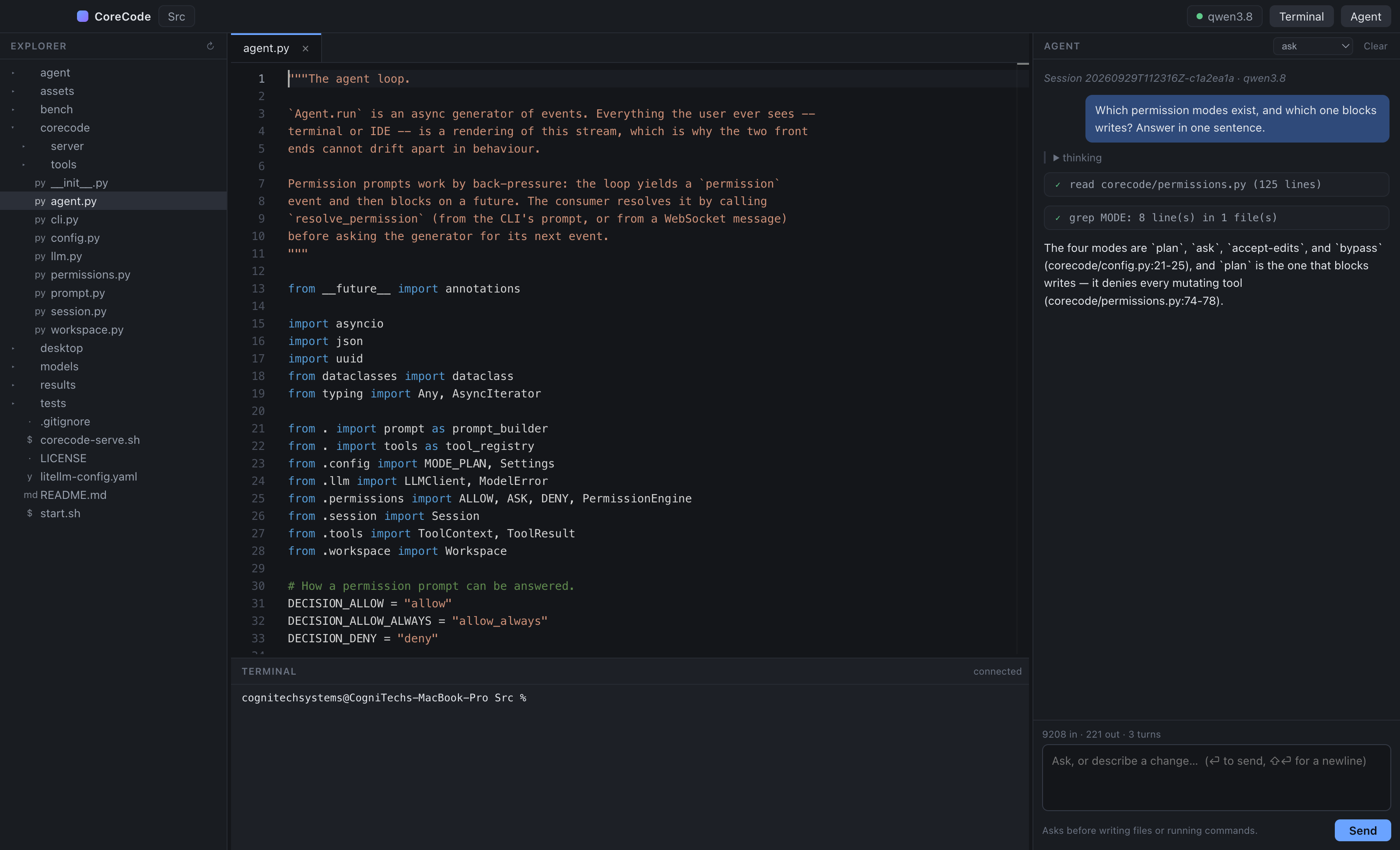
Each agent works in its own Docker Sandbox on its own clone, never in your files.
One command installs Docker, the sandbox bridge, model servers and the app.
Approval requests from every repository are collected in a single inbox.
Cogy Code connects to Cogy Server, and both run on your own hardware.
Each agent runs in its own Docker Sandbox with its own clone of the repository. You choose one of five permission modes, from read-only planning to working without approval prompts.
Cogy indexes the files, functions and references in the repository and uses the index to answer questions about the code. Each answer shows how certain it is.
Each job has a planner, a worker, a verifier and a reviewer. Cogy, Codex or Claude Code can take any role, and approval requests from every repository appear in one inbox.
Cogy Code works with any model that has an OpenAI-compatible endpoint. Each model has its own prompt, sampling and context settings, and agents can also use the models on Cogy Server.
Our rollout, model setup and support for Cogy Code
Integration ServicesYes. Cogy Code is open source under the Apache-2.0 licence. We also offer paid rollout, model setup and support.
Yes. Cogy Code uses Cogy Server for agent identities, credentials, git access and jobs.
It runs in Docker on macOS, Linux and Windows, and installs with a single command.
Yes. It works with any model that has an OpenAI-compatible endpoint, served locally with llama.cpp or MLX, or from Cogy Server.
Bring us a plan or just an idea. We will arrange a discovery meeting with you to go through it.